



New

EAD50

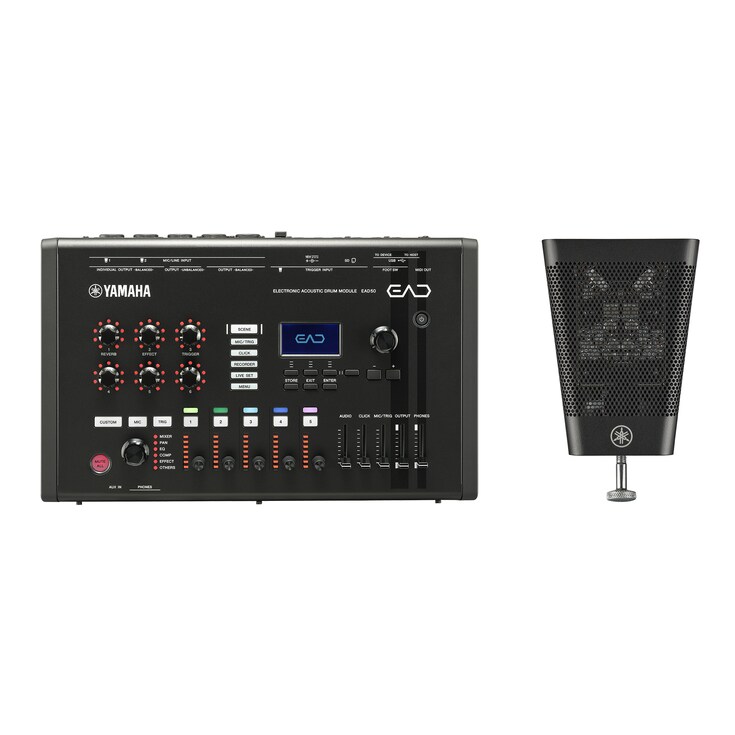
With the EAD50, drummers define their own sound and broaden every aspect of their musical activity.

  • Create and tailor your sound instantly using assignable Modifier knobs, high-quality effects, and a flexible hybrid system.
  • Connect the DSU50 or your preferred microphones and send multitrack audio through USB for recording, streaming, or production.
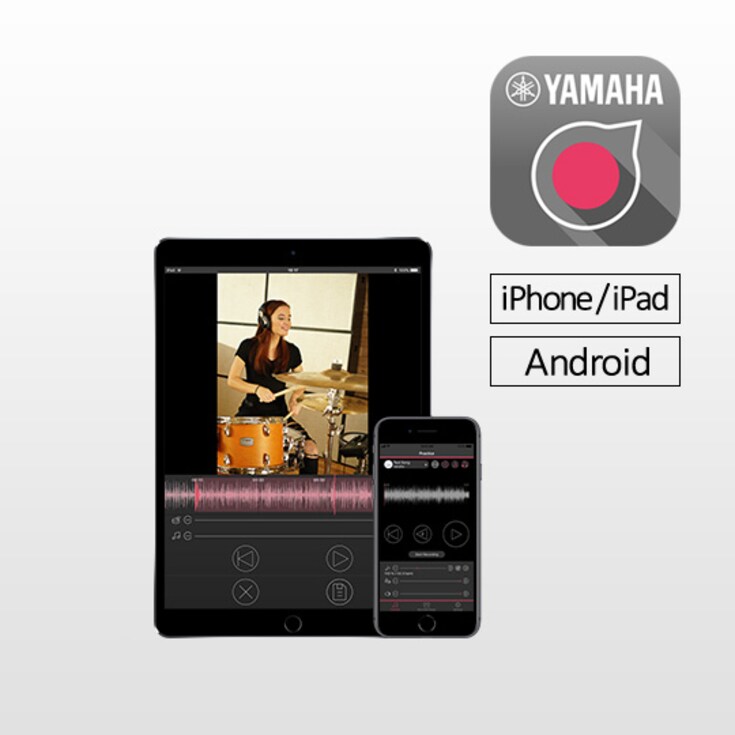
  • Use the EAD Touch and Rec’n’Share apps to practice, record, edit, and share performance videos easily on your mobile device.
  • The EAD50 includes a DSU50 microphone.

What is EAD50?

EAD (Electronic Acoustic Drum) is Yamaha’s unique system that brings electronic expandability and convenience to acoustic drums. By simply attaching a dedicated sensor unit containing a special microphone and a trigger, you can capture the entire setup in high-quality stereo and combine it with built-in effects and sound sources for greater expression.

The latest model, EAD50, takes this concept even further. It captures and processes your acoustic sound with amazing precision, merging it seamlessly with electronic sources to create a true hybrid drumming experience. With real-time control and intuitive operation, drummers can shape their own sound as they play—on stage, in the studio, during lessons, while streaming or any other playing situation. EAD50 empowers drummers of all levels to create and perform with a broad palette of sounds.

The Simplest Drum PA Solution Ever

Drummers have always found it hard to keep their sound the same from venue to venue. Different rooms, engineers and stage setups can all change how the drums sound. With the EAD50 and its sensor unit(DSU50), you can bring your sound with you wherever you play.

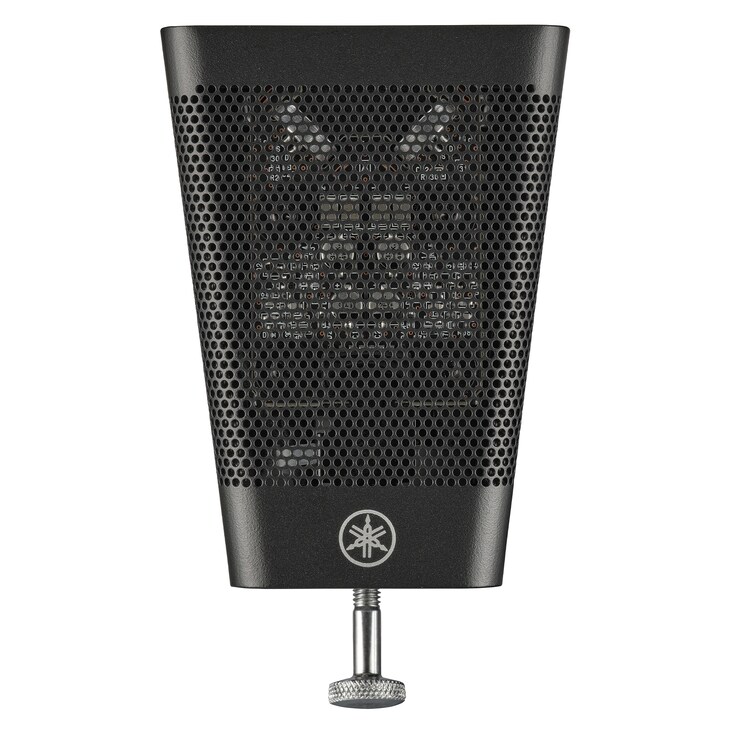
The Sensor unit uses a pair of custom microphones that capture the entire drum set from a single position. These use technology normally found in high-end studio mics, giving you a clean, accurate drum sound while reducing the sound of the room which is normally picked up by traditional drum microphones.

The EAD50 takes the audio from the sensor unit and processes for use with PAs or recording setups. You can blend the natural mic sound with samples, and add effects to create the tone you want. You can use the presets to get started or customise everything depending on your knowledge.

Because everything is done in one box, setup is quick, simple and fully repeatable. Your sound stays the same every time you play.

From small clubs to large stages, the EAD50 changes how drum miking works. It’s an easy, reliable way to get a great drum sound anywhere.

Diagram showing the positional relationship between the EAD50 and the sensor unit

Captures the entire drum kit with a single microphone.

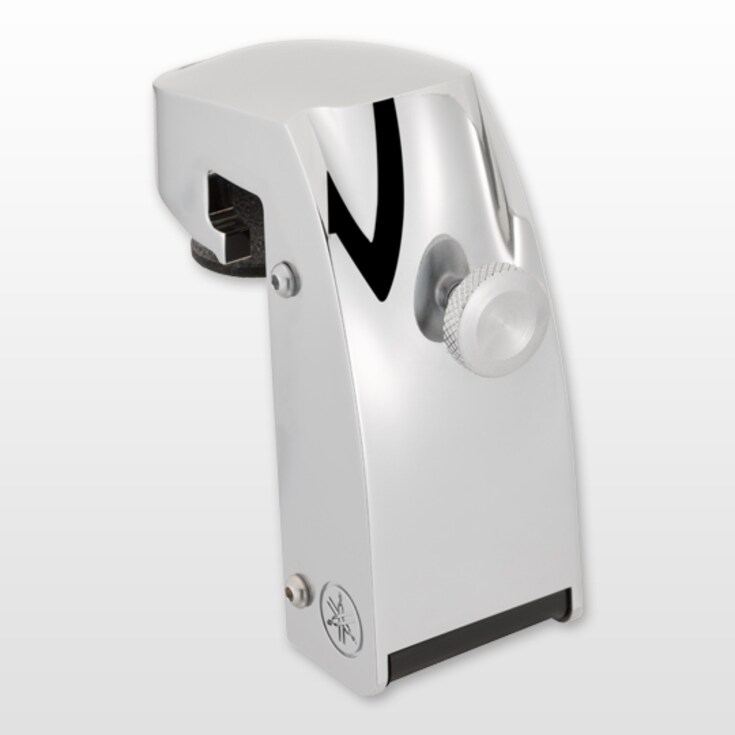
The DSU50 uses a matched pair of high-quality condenser capsules in an XY stereo layout. Each capsule is carefully calibrated and paired so the response stays consistent and the stereo image remains accurate. Once mounted on your bass drum, it captures the whole your acoustic drum setup with a balanced, natural sound, from the punch of the kick to the shimmer of the cymbals.

You don’t need multiple microphones or any complex phase adjustments. Whether you’re recording, streaming or playing live, the DSU50 delivers a professional, well-balanced drum sound every time, without the setup hassle.

Captures the entire drum kit with a single microphone.

Drum-optimized capsules deliver authentic sound character.

The DSU50 sensor unit features Yamaha-exclusive condenser microphone capsules, co-developed with a leading Japanese microphone manufacturer and tuned specifically for acoustic drums. Each capsule is carefully voiced under Yamaha’s sound direction and refined with input from a respected recording engineer known for his work with major artists. The result is outstanding clarity and balance across the full frequency range—from powerful lows to crisp, detailed highs.

Inside the unit, the sensor assembly is suspended in a floating mount that reduces unwanted vibration and mechanical noise, ensuring consistent performance and long-term reliability.

Whether you’re on stage or in the studio, the DSU50 captures the nuances of your playing with a natural, lifelike presence, delivering a drum sound that stays true to your performance.

Drum-optimized capsules deliver authentic sound character.

Trigger output lets you blend acoustic and electronic sounds

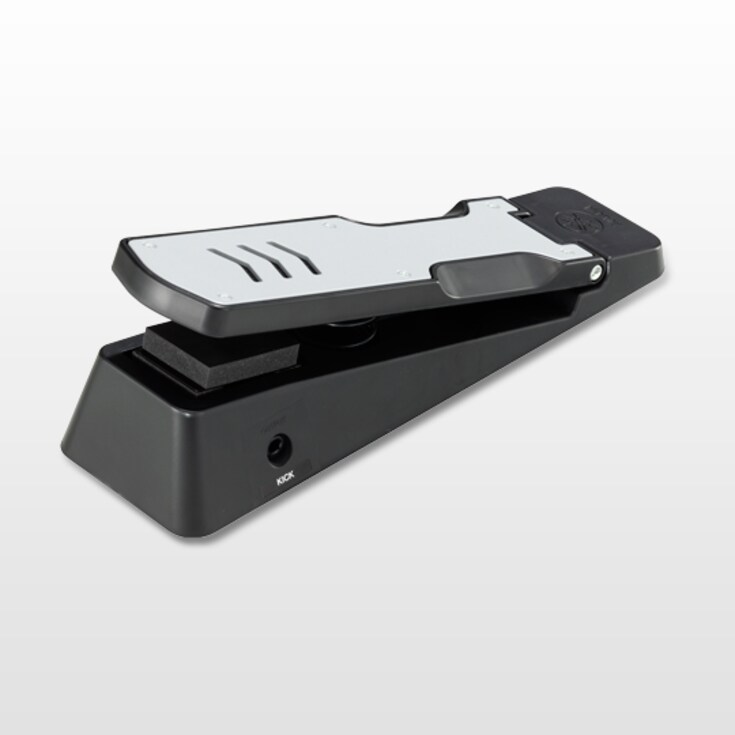
Beyond its role as a microphone, the DSU50 also includes a dedicated kick-trigger. This converts each bass-drum strike into a precise trigger signal for the EAD50 module, letting you layer samples in perfect sync with your acoustic playing. The trigger system is designed for stable, responsive detection across a wide dynamic range, giving you a natural feel and consistent results on stage or in the studio. The outcome is a seamlessly integrated hybrid drum setup that expands your sonic options without adding complexity.

Trigger output lets you blend acoustic and electronic sounds

Eight Outputs to Send Drum and Effect Channels Separately to PA

Eight balanced outputs let you route each drum or effects channel independently to the PA. This gives sound engineers full control to mix every element on its own, ensuring a clear, balanced result on any stage from small clubs to large festivals.

Eight Outputs to Send Drum and Effect Channels Separately to PA

Add external mics for more sonic depth.

Equipped with a Neutrik XLR/TRS combo jack that supports both mic and line inputs, the EAD50 provides the right gain structure for each signal type. The XLR input handles microphones with +48V phantom power, while the TRS input accepts line-level sources such as external preamps or mixers. This flexible design allows the EAD50 to integrate easily with a wide range of audio gear, and its low-noise preamp ensures clean, clear sound even in more complex recording or live setups.

Add external mics for more sonic depth.

Tailor outputs for any venue or stream

The EAD50’s flexible routing capabilities make live PA setups much easier to manage. Microphone signals, effects, trigger-based electronic sounds and other sources can be assigned freely to the eight individual outputs, allowing you to tailor your drum sound quickly for any venue.

Because each key element can be sent out separately, PA engineers have intuitive control over the entire drum mix without needing additional complex equipment.

The result is a cleaner workflow and a polished, high-quality live drum sound with minimal effort.

Tailor outputs for any venue or stream

Balanced XLR outputs for clear, reliable live sound.

The EAD50 is equipped with balanced XLR master outputs for dependable performance in any live setting. The locking connectors prevent accidental unplugging, and the balanced design ensures a clear, noise-resistant signal to the PA—even over long cable runs.

These professional-grade outputs provide both stability and high sound quality on stage, giving you a consistent, reliable drum sound in any venue.

Balanced XLR outputs for clear, reliable live sound.

Instant, accurate visual feedback with LED rotary faders.

The new LED rotary faders provide far more than improved visibility. Unlike traditional sliders whose physical positions can’t match recalled settings unless they are motorized, these virtual controls always reflect the EAD50’s actual internal values. Because their positions are shown through LED indicators rather than fixed hardware, Scenes and parameters can be recalled with perfect accuracy every time, with no mismatches or guesswork.

The rotary faders offer smooth, precise adjustment of effect levels, trigger blends and microphone balance, with clear visual feedback that always remains easy to read on stage or in the studio.

Instant, accurate visual feedback with LED rotary faders.

Unleash the Drummer’ s Full Expression

The EAD50 let you shape your sound how you want. Just as guitarists use amps and pedals, drummers can now create anything from subtle room sounds to powerful, studio-style effects in seconds.

For hands-on control, the six assignable Modifier knobs let you adjust almost any settings to suit you. You can fine-tune your sound quickly and easily, even while you play.

The EAD Touch editor app (Android, iOS and Mac) lets you edit everything on a familiar touch screen. You can connect wirelessly from your own devices for maximum ease.

The EAD50 lets you plug in pads and/or triggers so you can add or layer sounds or build a hybrid kit that suits the way you play.

The EAD50 greatly expands your creative and sonic options and opens up new ways to shape your drum sound.
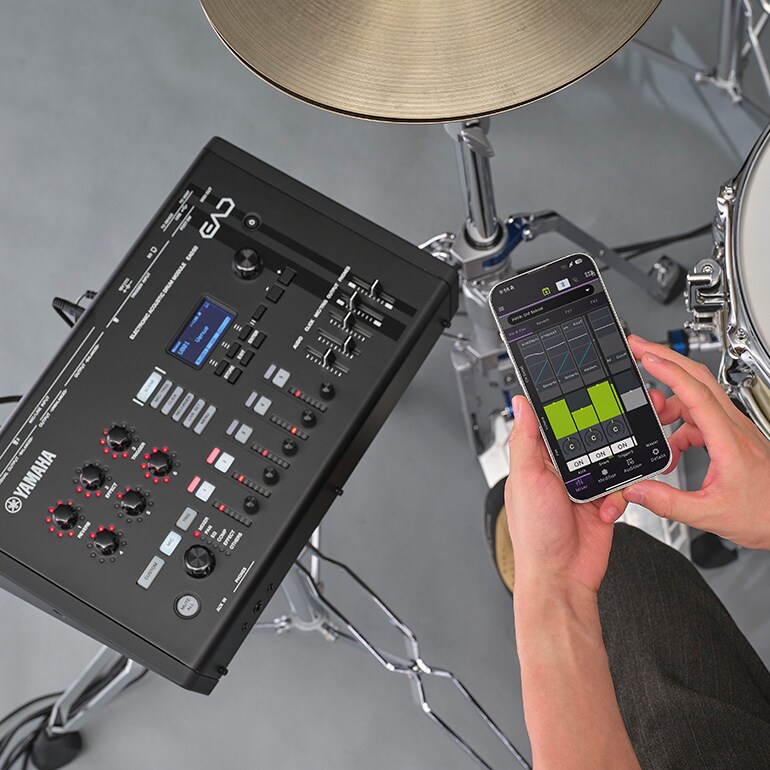
Scene showing the EAD50 being operated with its dedicated app
  • App Store
  • Mac App Store
  • Google Play

Shape your sound instantly with one touch.

The upgraded six Modifier knobs can be freely assigned to control effects such as reverb, EQ and compression, giving you precise real-time control shaped to your preferences. With their improved resolution, the knobs respond smoothly and musically, allowing you to adjust your sound instantly—whether you’re adapting to a room’s acoustics or shifting playing styles mid-performance.

There’s no need for menu diving or complex routing. Just turn a knob and the change is immediately audible, so you can stay focused on your playing.

Shape your sound instantly with one touch.

Wireless control and scene management from your phone

The EAD Touch app (available for Android, iOS and macOS) gives you hands-on control through Bluetooth MIDI or a USB-C connection. Its intuitive interface lets you edit Scenes, assign effects and manage trigger settings with a workflow that feels familiar—much like using a music production tool or DAW.

You can save custom presets, organize set lists and make real-time adjustments during practice or performance, all directly from your mobile device.

Wireless control and scene management from your phone

Add depth and ambience with natural PCM sounds.

The EAD50 includes a PCM sound library designed to blend naturally with acoustic drums. Each sample is crafted to enhance the acoustic drums' organic character, adding depth and presence without changing their natural tone.

Whether you’re reinforcing the kick or adding subtle ambience, the library is built to complement an acoustic performance beautifully—both live and in the studio.

Add depth and ambience with natural PCM sounds.

Create your space with studio-level processing.

With its flagship, custom-designed DSP, the EAD50 delivers exceptionally clear effects that are carefully tuned for drums—including reverb, delay, modulation and compression. From spacious, immersive ambience to tight, studio-focused tones, every effect responds musically while preserving the detail and clarity of your playing.

This gives you precise, confident control over shaping your sound in any situation.

Create your space with studio-level processing.

Capture and reuse your own drum sounds.

You can sample your own playing directly into the EAD50 and turn those recordings into playable sounds for performance. Sampling can be done right on the unit, and the recorded files can be edited in Cubase or any other DAW before being imported back into the module.

You can sample through any attached microphones, and can also sample external sources—such as electronic instruments or other audio gear—using the line input. If required, any pad played can also be included in the sample recording.

This makes the EAD50 a great choice for drummers who want to bring their own uniquely crafted tones into any performance.

Capture and reuse your own drum sounds.

Flexible trigger inputs for modern hybrid drumming.

The EAD50’s integrated trigger inputs are built for modern hybrid drumming, providing stable, high-headroom performance across a wide range of pads, even those not made by Yamaha. They support single-zone, dual-zone, three-zone and multi-piezo pads, so you can use the equipment you prefer without worrying about compatibility. Because these inputs can handle different pad types directly, you don’t need extra trigger modules or converters.

The unit also includes a USB Trigger Link function, allowing MIDI-based trigger input via only a USB cable, alongside the five physical trigger terminals (which can be split into ten mono trigger inputs).

This flexibility makes it easy to create imaginative hybrid setups while keeping your overall rig simple and efficient.

Flexible trigger inputs for modern hybrid drumming.

Add more pads easily through USB connection.

With the new USB Trigger Link system, the EAD50 can connect digitally to compatible external drum sound modules, allowing you to manage up to 12 additional pads or triggers through a single USB cable. This removes the need for complex analog wiring between devices.

Each pad still connects to the external module as usual, while the USB link provides a single, stable communication and tight synchronization between the systems.

The result is a clean, streamlined setup that’s easy to manage while still giving you plenty of room to expand your rig.

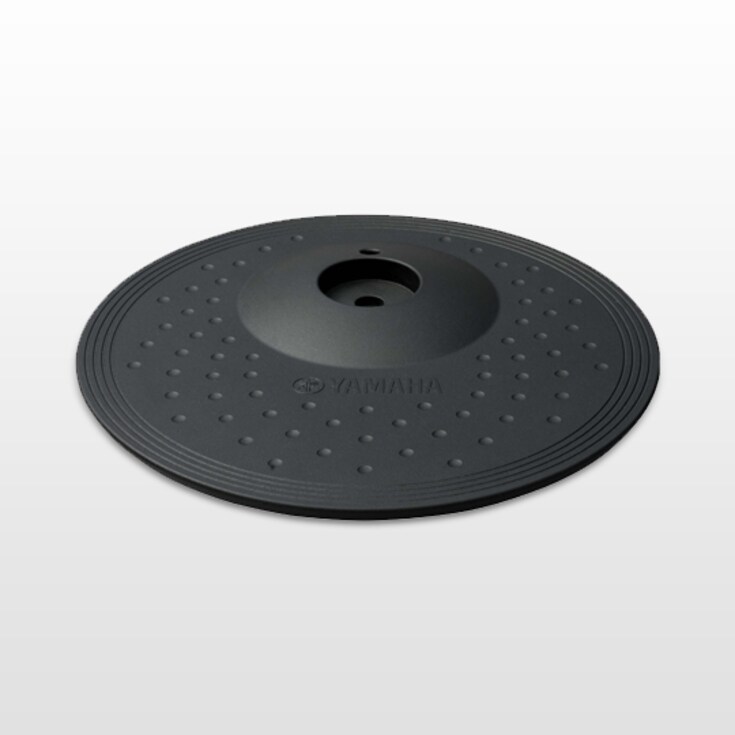
With its versatile Trigger In ports, the EAD50 makes it easy to expand your kit with external pads or acoustic drum triggers. Whether you’re adding electronic toms, an auxiliary snare, cymbal pads or reinforcement triggers on your acoustic shells, the system responds naturally and blends smoothly with your overall sound.

This gives drummers the freedom to personalise their setup—layering samples, enhancing articulation or building custom performance layouts that suit any musical style or stage environment.

Add more pads easily through USB connection.

Customize your hybrid kit with multiple inputs

With its versatile Trigger In ports, the EAD50 makes it easy to add external pads or acoustic drum triggers to your setup. Whether you’re incorporating electronic toms, an auxiliary snare, cymbal pads, or reinforcement triggers on your acoustic shells, the system responds naturally and blends smoothly with your overall sound.

This gives drummers the freedom to personalise their setup—layering samples, enhancing articulation, or building custom performance layouts that suit any musical style or stage environment.

Customize your hybrid kit with multiple inputs

Expand you’re Activities and Enjoyment

The EAD50 isn’t just for live shows. It’s great for home practice, online lessons, studio recording, social-media content, drum clinics—any situation where you need a reliable and flexible drum setup.

With the EAD50, you are no longer restricted by the room you’re in - any room can become a studio. It adds a new level of polish and professionalism to any acoustic drum setup or percussion setup.
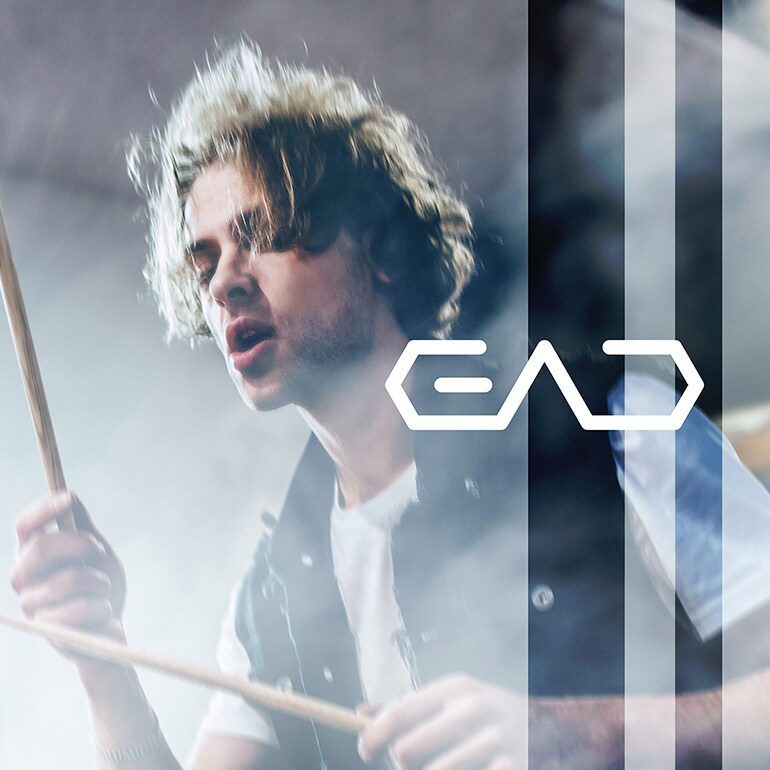
Male drummer performing with the EAD50

From Performance to Practice — One Unit Expands Your Drumming World

Practice/Online lesson

The EAD50 supports everything from daily practice to online lessons in one compact, easy-to-use system.

You can play along with your favourite songs from your phone or tablet via Bluetooth, or use a USB thumb drive with your full music library. Whether you’re having a relaxed practice session or working on your technique, the EAD50 adjusts to your needs.

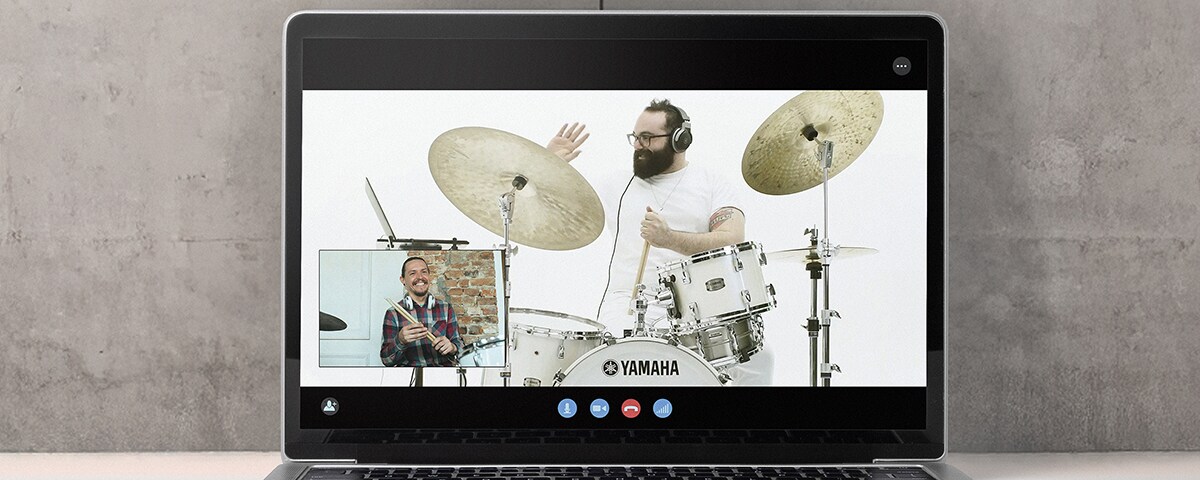
It’s also excellent for online lessons. The Talk function lets you switch easily between your drum sound and your speaking voice, so communication stays clear for both teacher and student.

With the Rec’n’Share app, you can film yourself or students with great audio straight from a smartphone—no complicated setup needed.

The EAD50 brings practice, teaching and content creation together in one place, with professional sound quality wherever you are.

  • Scene of using the EAD50 for an online lesson

Play and control wirelessly with Bluetooth audio and MIDI.

The EAD50 supports Bluetooth audio, so you can stream backing tracks wirelessly from your smartphone or tablet and play along without any cables. It also supports Bluetooth MIDI, allowing you to control parameters through the EAD Touch app, and means, range allowing, that the Front Of House engineer can control the EAD50 from the mixing position if required. This gives you flexible operation during both practice and performance.

Play and control wirelessly with Bluetooth audio and MIDI.

A fully customizable click for every practice need.

You can import your own click sounds and tailor their EQ, letting you shape the tone, meter and accents exactly how you like them. Click settings can be saved per Scene, giving you up to 200 fully programmable setups.

Whether you’re practicing odd time signatures or locking in with backing tracks, the customizable click fits smoothly into your workflow.

A fully customizable click for every practice need.

Seamless one-touch switching between performance and speaking.

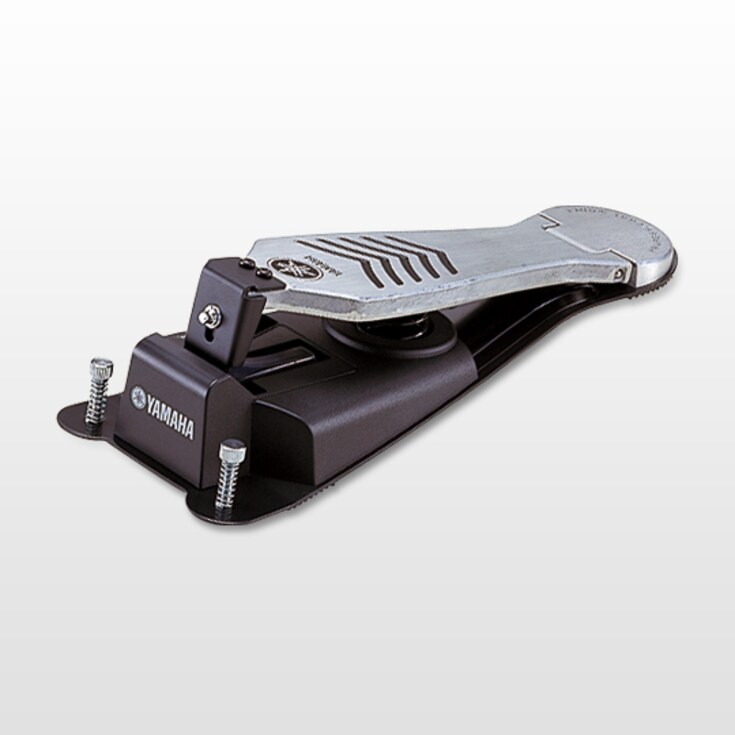
The EAD50 includes a Talk function that lets you switch between your performance microphone (such as the DSU50 or an external mic) and a dedicated voice input with a single touch. You can trigger it from the main unit or assign it to a pad or foot controller for quick access without interrupting your playing—making it especially useful for online lessons and remote sessions.

During performance, the microphone focuses on your drum sound, and when you need to speak, activating the Talk function delivers your voice clearly to the listener. It also lets you add narration while recording videos, giving you smooth, seamless transitions between playing and speaking.

Seamless one-touch switching between performance and speaking.

Recording/Social Media

The EAD50 makes home recording or studio streaming easy while still delivering professional-quality audio.

Connect it to your computer with a USB cable to record multitrack audio direct from the module. For social-media content, just connect your phone or tablet and create polished performance videos using the Rec’n’Share app or any compatible app—no extra gear or technical setup required.

From quick, casual content to full recording sessions, the EAD50 gives you the flexibility to share your sound.

  • App Store
  • Google Play
  • Scene of recording drums in a home studio

Easy, high-quality video creation with Rec’n’Share.

When paired with the Rec’n’Share app, the EAD50 connects easily over USB to your smartphone, allowing you to capture high-quality music videos directly from your device. Rec’n’Share lets you play along with your favourite songs, add clicks, record audio, film performances, edit the results and upload your content—all in one smooth, streamlined workflow. It’s an easy way to share the EAD50’s high-quality sound on social media or for teaching purposes.

The app also features a proprietary source-separation algorithm that lets you strip the track to stems, and adjust the levels of drums, vocals and other elements within the original track, giving you control over the balance of your band mix.

From practice logs to fully produced videos, you can create polished, performance-ready content using only your smartphone—making the EAD50 and Rec’n’Share a uniquely convenient combination for any drummer.

Easy, high-quality video creation with Rec’n’Share.

Record all drum, trigger and track channels via USB.

The EAD50 functions as an 8-in/10-out USB audio interface, enabling full multitrack input and output when connected to a computer and DAW. Windows users will need to install the dedicated driver.

You can assign and record individual channels for the drum microphone signals from the DSU50 or any external microphones, trigger-based electronic sounds, effects, backing tracks, click tracks and more—depending on your workflow.

Record all drum, trigger and track channels via USB.

Turn EAD50 into a complete production setup with Cubase AI.

Bundled with Steinberg’s Cubase AI, the EAD50 becomes a complete production system. You can record eight inputs at once, mix with VST effects and finish your track—all using professional tools right out of the box.

Turn EAD50 into a complete production setup with Cubase AI.

Performance/Seminar

The EAD50 can enhance your live performances or drum clinics by giving you a set of powerful audio tools that work smoothly in any environment.

With Live Set Mode, you can save complete setups for each song or set list and recall them instantly using a button, pedal or pad. This keeps transitions between songs smooth and lets you focus fully on your playing.

You can run backing tracks straight from the module using a USB drive or SD card, and the EAD50 can send a click track only to you. This reduces the need for extra gear and keeps your performance tight and in sync.

The built-in Looper lets you record drum phrases, layer triggered sounds or effects, and create solo sections or background loops.

All these features make the EAD50 a powerful and flexible tool for clinics, seminars and any performance setup.

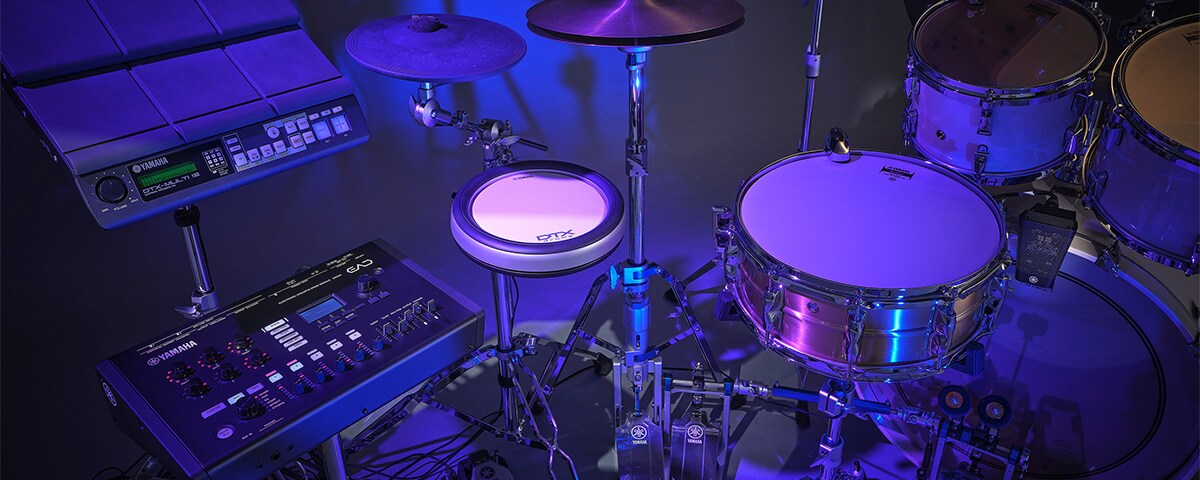
  • Photo of a hybrid drum setup combining acoustic and electronic drums

Recall full song setups instantly during live performances.

You can save complete setups for each song or set list, and recall them instantly with a single touch on the main unit or via a footswitch. All sound, routing and effect settings are recalled at once, making it easy to move smoothly from one song to the next during live performances.

Recall full song setups instantly during live performances.

Play backing tracks without a computer

For playing live, the EAD50 lets you playback two simultaneous stereo tracks. These could be used a stereo backing track and click track or any other combination that suits your needs. Files can be routed to different locations so, for example, the click is only sent to the headphone output while the stereo track is sent to their own individual outputs. These files are streamed from USB drive or SD card, and remain synchronized, stable and highly accurate.

Play backing tracks without a computer

Create and layer phrases live.

Using the microphones, triggers and any other connected device , the Looper function lets you select a loop length, and then record over and over, layering up the pattern as required. This lets you create dense rhythmic feels or interesting sonic patterns.

Create and layer phrases live.

Connection examples

Drum kit setup examples: Basic, Expanded, Hybrid

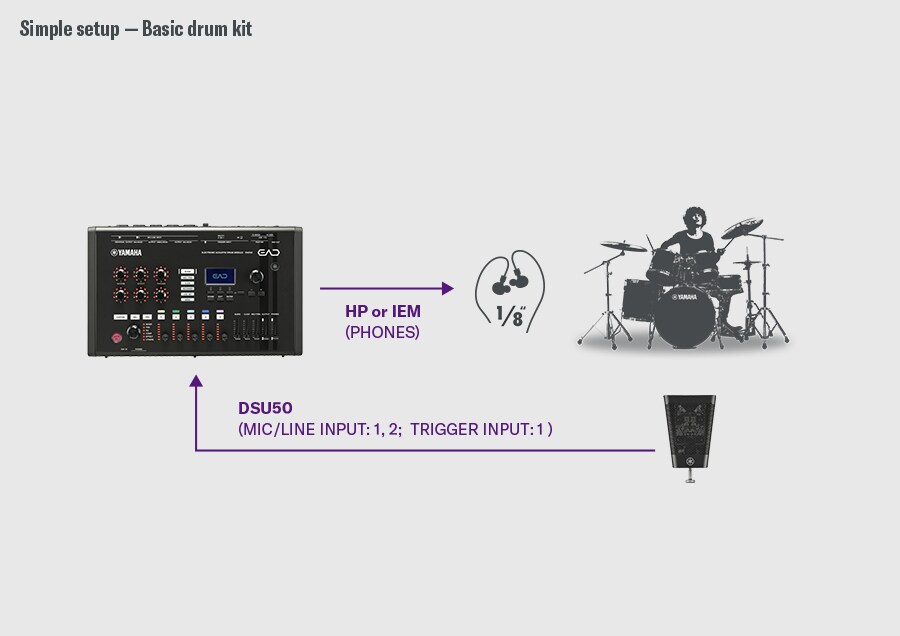
A basic drum setup example. The DSU50 is connected to the EAD50’s MIC/LINE INPUT1-2 and the trigger input 1 , while the EAD50 sends audio to headphones or in-ear monitors through the PHONES output. A drummer is shown on the right, illustrating a simple configuration in which the DSU50 captures the drum sound and the EAD50 provides monitoring.
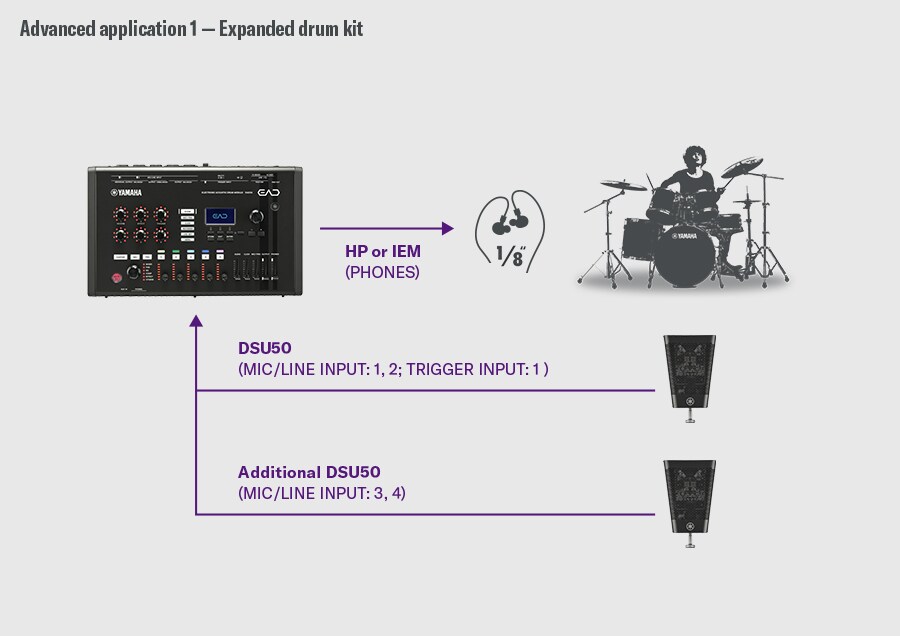
Expanded drum kit. This example shows an expanded drum kit setup. The first DSU50 connects to the EAD50 via MIC/LINE INPUT 1–2 and the TRIGGER INPUT 1, while an additional DSU50 connects to MIC/LINE INPUT 3–4. Audio is sent from the EAD50’s PHONES output to headphones or IEMs. A drummer is shown on the right, illustrating a configuration that uses multiple DSU50 units for wider stereo capture.
Hybrid drum kit setup. The DSU50 connects to the EAD50 via MIC/LINE INPUT 1-2 and the TRIGGER INPUT 1, with monitoring through the PHONES output to headphones or IEMs. A drummer on the right illustrates basic acoustic monitoring through the DSU50 and EAD50. The lower section shows a hybrid drum kit combining electronic pads, a footswitch, and a multipad. The EAD50 rear panel highlights: ・USB TO DEVICE (multipad) ・FOOT SW (footswitch) ・TRIGGER INPUT (triggers/pads) demonstrating flexible integration of acoustic drums with electronic components.

Additional Use Cases

  • Practicing

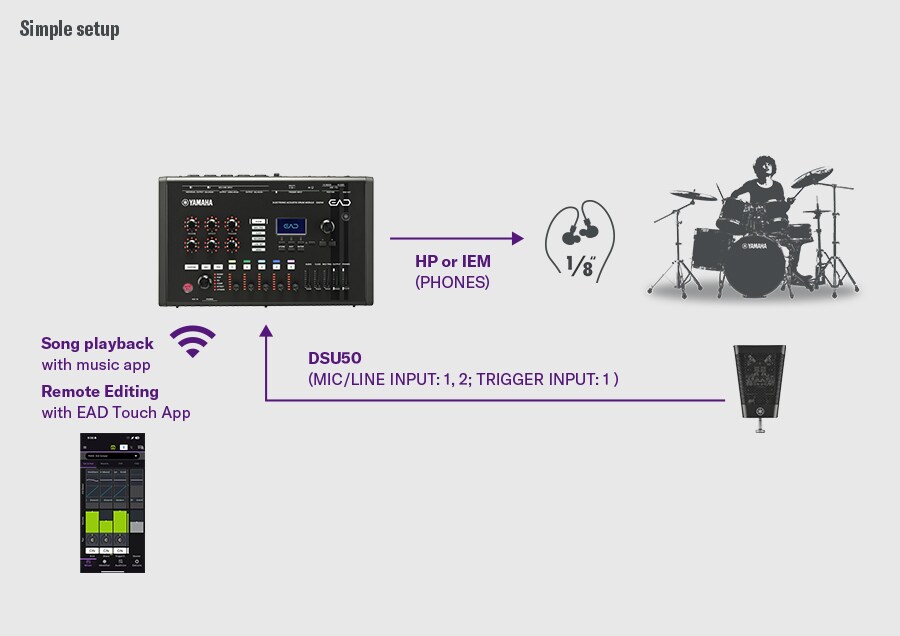
    Simple setup. This simple setup shows the DSU50 connected to the EAD50 via MIC/LINE INPUT 1–2 and the TRIGGER INPUT 1, with monitoring through the PHONES output to headphones or IEMs. Music playback from a mobile app and remote editing via the EAD Touch app are linked wirelessly to the EAD50. A drummer on the right illustrates acoustic drum monitoring through the DSU50 and EAD50.
  • Online Lesson

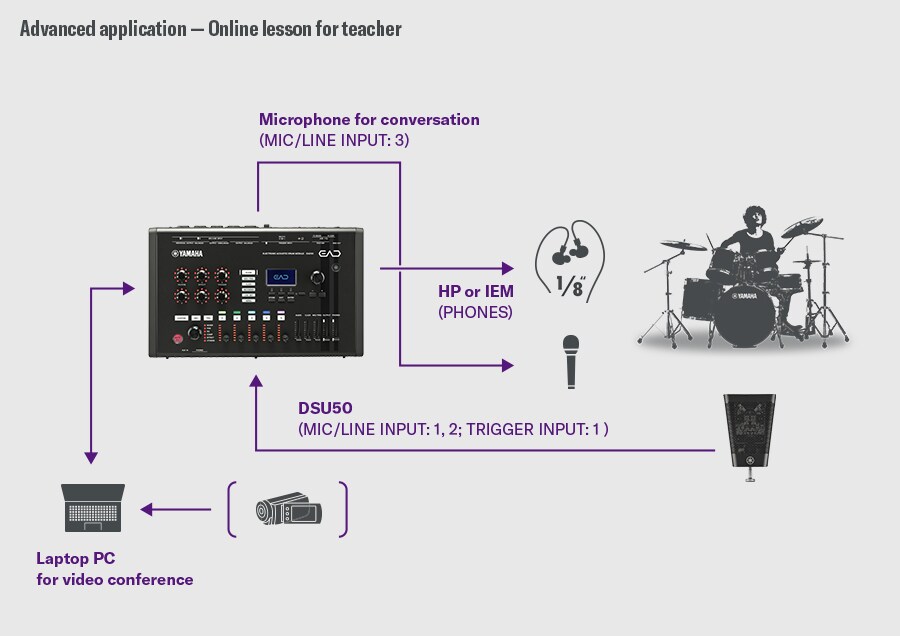
    Online lesson for teacher. This configuration is designed for online lessons. The DSU50 is connected to MIC/LINE INPUT 1–2 and the TRIGGER INPUT 1 on the EAD50, while a conversation microphone is connected to MIC/LINE INPUT 3. Audio is monitored from the PHONES output to headphones or IEMs. The EAD50 connects to a laptop PC via USB to send both drum sound and voice for video conferencing. A drummer is shown on the right to illustrate the lesson flow.
  • Youtube Video Creation

    YouTube video creation. This setup is intended for creating YouTube videos. The DSU50 connects to the EAD50 via MIC/LINE INPUT 1–2 and the TRIGGER INPUT 1, and monitoring is through the PHONES output. The EAD50 connects via USB to a smartphone running the Rec’n’Share app, enabling music recording, playback, and video capture. A drummer is shown on the right, demonstrating the workflow of DSU50 recording, EAD50 processing, and smartphone video production.
  • Home Recording

    Home recording. This example shows a home-recording setup. The DSU50 connects to MIC/LINE INPUT 1–2 and the TRIGGER INPUT 1 on the EAD50. An additional microphone for bass drum connects to INPUT 5, and overhead microphones connect to INPUT 3–4; alternatively, an additional DSU50 can be used instead of overhead mics. Monitoring is provided via the PHONES output, and the main L/R outputs feed monitor speakers. A laptop PC connects for recording and playback. A drummer on the right illustrates a detailed multi-mic recording environment.
  • Live/Performance (Simple)

    Simple setup. This simple setup shows the DSU50 connected to MIC/LINE INPUT 1–2 and the TRIGGER INPUT 1 on the EAD50, with monitoring through the PHONES output. Backing tracks are loaded via SD card, and a monitor mix is connected to MIC/LINE INPUT 3–4. The EAD50 provides individual outputs for kick trigger (1 ch) and backing tracks (2 ch), plus L/R main outputs, and receives a 2-channel monitor mix input. A drummer on the right illustrates a configuration that integrates monitoring, backing-track playback, microphone capture, and output routing.
  • Live/Performance(Advanced)

    Advanced application. This advanced setup shows one DSU50 connected to the EAD50 via MIC/LINE INPUT 1–2 and the TRIGGER INPUT 1 and an additional DSU50 connected to MIC/LINE INPUT 3–4. A laptop PC supplies backing tracks, while a monitor mix is routed to MIC/LINE INPUT 5. Monitoring is done via the PHONES output. The EAD50 provides individual outputs for snare/kick/other pads (4 channels), effects mix (2 channels), and backing tracks (2 channels), with main outputs carrying EAD50 L/R. A drummer pictured on the right illustrates the fully expanded routing and audio-management workflow.
Simple setup. This simple setup shows the DSU50 connected to the EAD50 via MIC/LINE INPUT 1–2 and the TRIGGER INPUT 1, with monitoring through the PHONES output to headphones or IEMs. Music playback from a mobile app and remote editing via the EAD Touch app are linked wirelessly to the EAD50. A drummer on the right illustrates acoustic drum monitoring through the DSU50 and EAD50.
Online lesson for teacher. This configuration is designed for online lessons. The DSU50 is connected to MIC/LINE INPUT 1–2 and the TRIGGER INPUT 1 on the EAD50, while a conversation microphone is connected to MIC/LINE INPUT 3. Audio is monitored from the PHONES output to headphones or IEMs. The EAD50 connects to a laptop PC via USB to send both drum sound and voice for video conferencing. A drummer is shown on the right to illustrate the lesson flow.
YouTube video creation. This setup is intended for creating YouTube videos. The DSU50 connects to the EAD50 via MIC/LINE INPUT 1–2 and the TRIGGER INPUT 1, and monitoring is through the PHONES output. The EAD50 connects via USB to a smartphone running the Rec’n’Share app, enabling music recording, playback, and video capture. A drummer is shown on the right, demonstrating the workflow of DSU50 recording, EAD50 processing, and smartphone video production.
Home recording. This example shows a home-recording setup. The DSU50 connects to MIC/LINE INPUT 1–2 and the TRIGGER INPUT 1 on the EAD50. An additional microphone for bass drum connects to INPUT 5, and overhead microphones connect to INPUT 3–4; alternatively, an additional DSU50 can be used instead of overhead mics. Monitoring is provided via the PHONES output, and the main L/R outputs feed monitor speakers. A laptop PC connects for recording and playback. A drummer on the right illustrates a detailed multi-mic recording environment.
Simple setup. This simple setup shows the DSU50 connected to MIC/LINE INPUT 1–2 and the TRIGGER INPUT 1 on the EAD50, with monitoring through the PHONES output. Backing tracks are loaded via SD card, and a monitor mix is connected to MIC/LINE INPUT 3–4. The EAD50 provides individual outputs for kick trigger (1 ch) and backing tracks (2 ch), plus L/R main outputs, and receives a 2-channel monitor mix input. A drummer on the right illustrates a configuration that integrates monitoring, backing-track playback, microphone capture, and output routing.
Advanced application. This advanced setup shows one DSU50 connected to the EAD50 via MIC/LINE INPUT 1–2 and the TRIGGER INPUT 1 and an additional DSU50 connected to MIC/LINE INPUT 3–4. A laptop PC supplies backing tracks, while a monitor mix is routed to MIC/LINE INPUT 5. Monitoring is done via the PHONES output. The EAD50 provides individual outputs for snare/kick/other pads (4 channels), effects mix (2 channels), and backing tracks (2 channels), with main outputs carrying EAD50 L/R. A drummer pictured on the right illustrates the fully expanded routing and audio-management workflow.

FAQ

The EAD (Electronic Acoustic Drum) system captures, processes, and enhances the sound of acoustic drum setup while expanding sonic possibilities through integration with electronic sound sources. By attaching the dedicated sensor unit to your drums, you can reproduce a natural and powerful sound without complex multi-mic setups.

EAD50 is the next-generation, higher-end model of the EAD10. It offers more mic and trigger inputs, 8-in/10-out USB multi-channel audio, a built-in sampler, and upgraded sound and effects engines. With enhanced control, routing and flexibility, EAD50 supports live performance, recording, and streaming environments alike.

Yes. The EAD50 can operate on its own as a standalone audio interface or sound module. For full acoustic drum capture, you can connect the dedicated DSU50 sensor unit, or use up to five external microphones. While the EAD50 works with various microphone setups, pairing it with the DSU50 provides the most simple, optimized and seamless experience for capturing and enhancing your drum sound.

Yes — the EAD50 connects easily to smartphones, tablets, and computers, and you can choose the method that best fits what you want to do.

Use Bluetooth MIDI to control the EAD50 wirelessly from your smartphone or tablet with the EAD Touch app.

Use Bluetooth Audio or AUX IN when you want to play music from your device through the EAD50 for practice or performance.

Use USB when connecting to a computer for multitrack recording, streaming, or online lessons — or when using Rec’n’Share on a mobile device (Bluetooth audio is not supported for Rec’n’Share).

Absolutely. EAD50 serves as an 8-in/10-out USB audio interface. You can record and edit multi-track sessions using the included Cubase AI software, or stream directly to OBS and other broadcasting platforms.

The EAD10 sensor unit was designed specifically for the EAD10 system and is not intended or compatible for use with the EAD50. The EAD50, by contrast, supports standard microphones and works naturally with the DSU50 sensor unit as well as external microphones of your choice.

Yes. Both the EAD Touch and Rec’n’Share apps are free to download and use.

• The Bluetooth® word mark and logos are registered trademarks owned by Bluetooth SIG, Inc. and any use of such marks by Yamaha Corporation is under license. Other trademarks and trade names are those of their respective owners.

• Steinberg and Cubase are registered trademarks of Steinberg Media Technologies GmbH.

• The company names and product names in this manual are the trademarks or registered trademarks of their respective companies.

Apps
Related Information

Related Products
* Specifications are subject to change without notice. The colors and finishes shown may vary from those on the actual products.

to page top

Select Your Location